


Accounts receivable automation means using software to handle repeatable AR work—invoice tracking, payment recording, reminder sequences, and collections visibility—so your team spends less time chasing spreadsheets and more time on decisions that improve cash flow.
What AR automation is (and is not)
It is not a replacement for accounting systems or client relationships. It is the operational layer between issuing an invoice and confirming payment. Good accounts receivable software centralizes client records, invoice status, overdue balances, and follow-up history in one place.
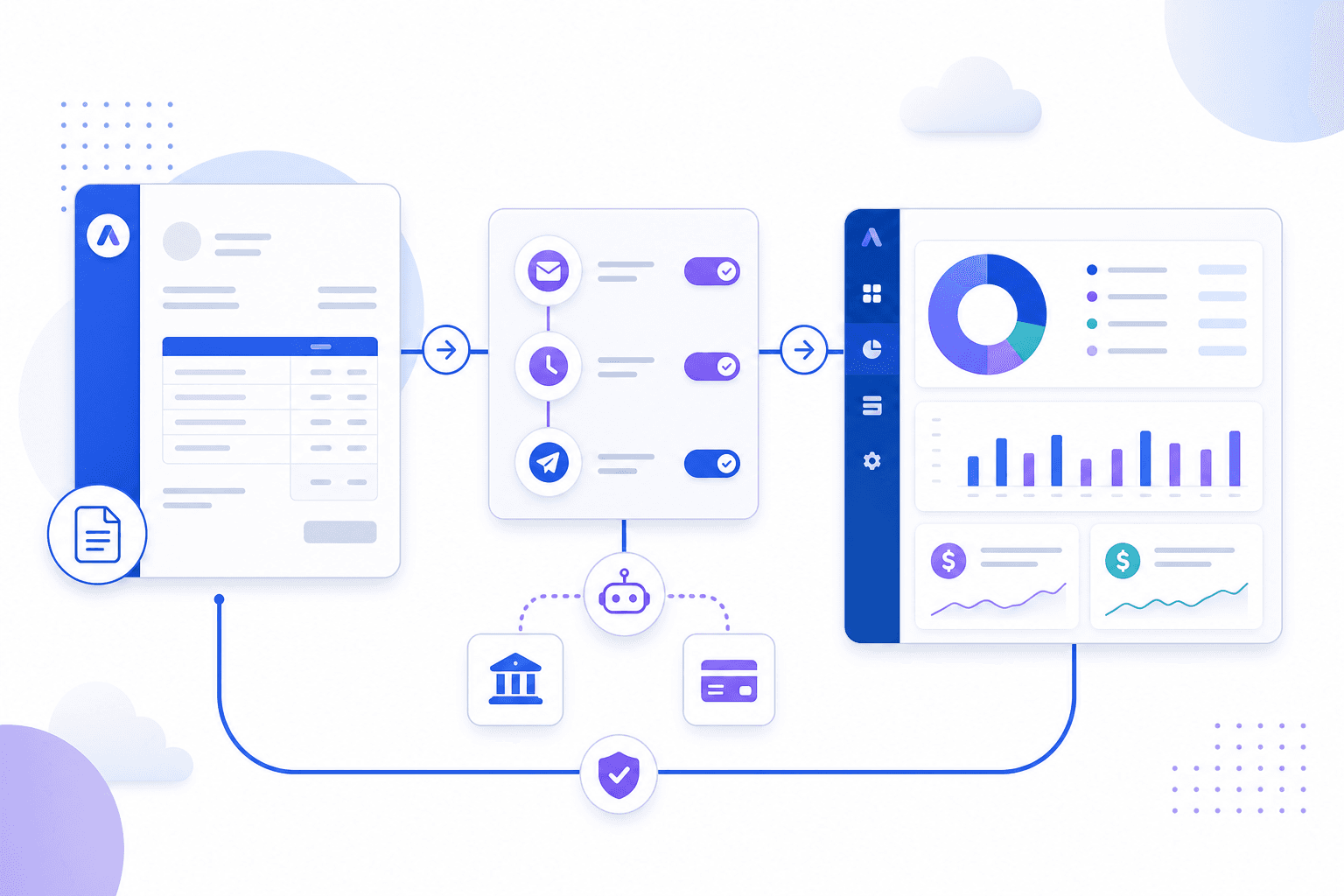
Core workflows teams automate first
- Invoice tracking across sent, due, overdue, and paid states
- Payment reminder emails on a defined schedule
- Overdue invoice management with aging buckets and priorities
- Dashboards for outstanding balances and collections workload
- Reminder history and notes for team accountability
Why manual AR breaks down as you grow
At ten invoices per month, email and spreadsheets are manageable. At fifty or five hundred, follow-up becomes inconsistent. Invoices slip through cracks, reminders go out late, and leadership lacks real-time cash flow visibility. That inconsistency directly increases days sales outstanding and strains working capital.
Invoice reminder software as the highest-ROI starting point
Payment reminders are repetitive, time-sensitive, and easy to standardize. Automating pre-due, due-date, and overdue sequences typically delivers faster results than trying to automate everything at once. Start with a clear policy, then let invoice reminder software execute it consistently.
Cash flow management needs live visibility
Automation only helps if the data is current. When payments are recorded promptly and invoice statuses update in real time, finance leaders can forecast cash with more confidence. Delayed updates create false confidence and late interventions.
How to evaluate accounts receivable software
- Does it support your invoice volume and client count today—and next year?
- Can you configure reminder rules without developer help?
- Is reminder and collections history visible to the whole team?
- Does it complement your accounting stack instead of replacing it?
- Can you export data when needed for reporting or migration?
Where Arrexia fits
Arrexia focuses on the post-invoice workflow: tracking, reminders, collections follow-up, and AR visibility. It is built for teams that want practical accounts receivable automation without enterprise complexity. If overdue balances and inconsistent follow-up are hurting cash flow, that is the problem space Arrexia is designed to address.
Start small, measure DSO and aging
Pick one reminder sequence, run it for 60 days, and compare overdue aging and days sales outstanding before and after. Automation should produce measurable operational improvement—not just fewer manual emails. Use a simple DSO calculator to baseline performance before you scale new workflows.

About the author
Mohammed Otoom
Founder of Arrexia
Mohammed Otoom has spent decades building companies, SaaS products, fintech solutions, education technology platforms, and business software. Through Arrexia he shares practical strategies for improving cash flow, reducing overdue invoices, and modernizing accounts receivable operations.
Get practical cash flow insights.
Receive occasional articles and tools to help you reduce overdue invoices and improve collections.
Simplify collections with Arrexia
Automate reminders, track payments, and reduce overdue invoices.
Related articles
How to Reduce Overdue Invoices Without Damaging Client Relationships
Read article